BuildingReconstructionNew Release
BuildingReconstruction | New 2025 Release Now Available
The new BuildingReconstruction (BRec) 2025 release is now available to our customers. This version introduces numerous new features and improvements.
- Option for Solid Intersection using OpenCascade
- Option to export all cell meshes in .cell or .savx format
- Import of cell meshes for reuse in continuation workflows
- New tool: Mesh fitting
- Surface coloring of the selected solid by roof, wall, and ground
- Restriction of roof types for automatic derivation in the Project Wizard
In the “Reconstruction Mode” group on the Start tab, we now offer an additional option to perform solid intersections using the Open Cascade library.
Open Cascade is an open-source framework for 3D applications that provides advanced intersection and modeling functions for solid geometries.
This alternative can be useful if the internal intersection algorithm produces errors – particularly when working with generalized building footprints.
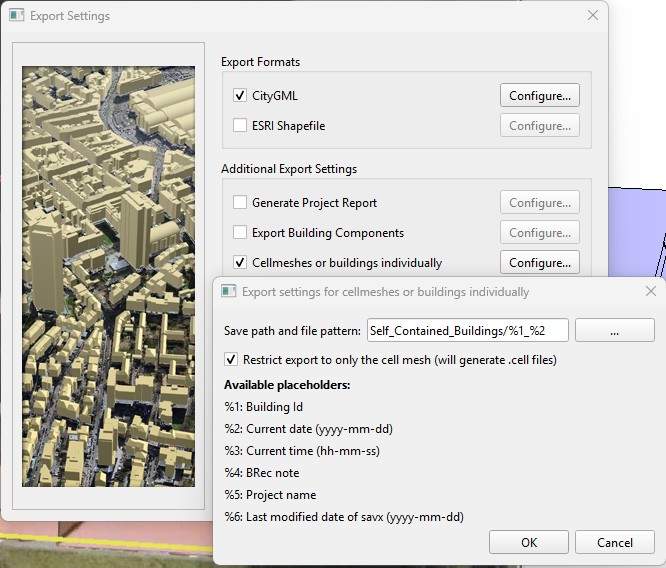
With the “Export buildings separately” option in the export settings, all buildings of a project can be saved as separate files.
This function was specifically developed to enable the reuse of manually derived buildings from previous projects – for example, in continuation cases where only the floor plan has changed due to an extension.
Instead of having to edit the entire building again, existing cell models can now be selectively reused and updated.
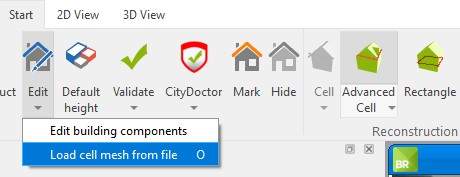
Cell meshes can now be reused effortlessly:
Simply select a building, click “Load cell mesh from file” – or just drag and drop a .CELL or .SAVX file into your project. Done!
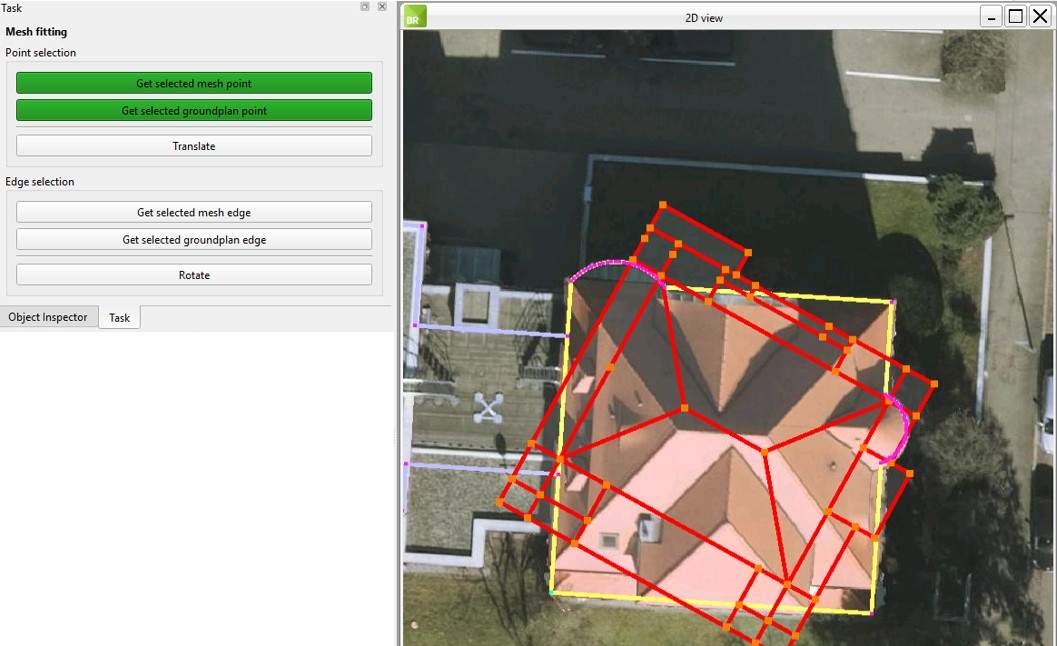
To precisely align cell meshes that have been inserted via copy & paste (e.g., for row houses) or imported from other projects using the new import function, the new “Mesh fitting” tool is now available.
This tool allows you to snap cell mesh points directly to the corresponding footprint points, then align and rotate the entire cell mesh accurately along a shared edge.
This makes it quick and easy to reuse and perfectly fit existing cell meshes into new buildings.
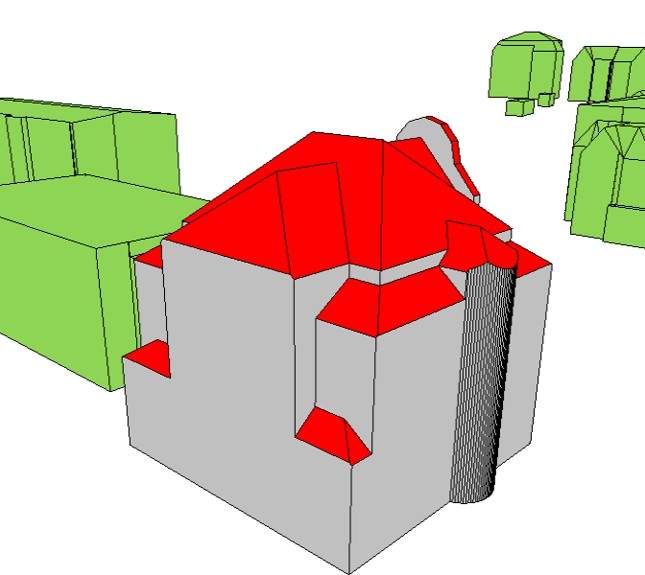
The surfaces of the selected building are now automatically color-highlighted according to their geometric function:
- Roof surfaces appear in red
- Wall surfaces in gray
- Ground surfaces in dark gray
This visual distinction makes it easier to check the quality of the generated solid and quickly verify that all surfaces have been classified correctly.
When automatically deriving roof shapes, BuildingReconstruction supports the most common roof types.
To avoid misinterpretations, users can now predefine which roof types are applicable for the respective buildings.
This option is especially useful when the area is well-known or when an appropriate preselection has already been made during data preparation – allowing for more precise roof derivation and improved overall result quality.
-
Zooming via scroll wheel: Especially helpful during editing
-
Validity check for footprint polygons: Tests whether a footprint consists of multiple surfaces
-
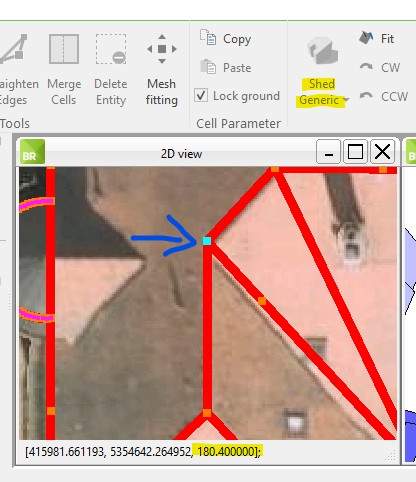
Copyable height value for all cell mesh points of the generic shed roof: Allows copying the value with Ctrl + C and pasting it into parameters of adjacent cells
-
Height information for each cell in the footer: Enables checking the building height while editing
-
Updated CityDoctor version: Models are now validated using version 3.17.3